Go To Budget
The Go To Budget option is availalbe only for the BudgetAccountBalance and BudgetAccountNetIncome functions.
Example
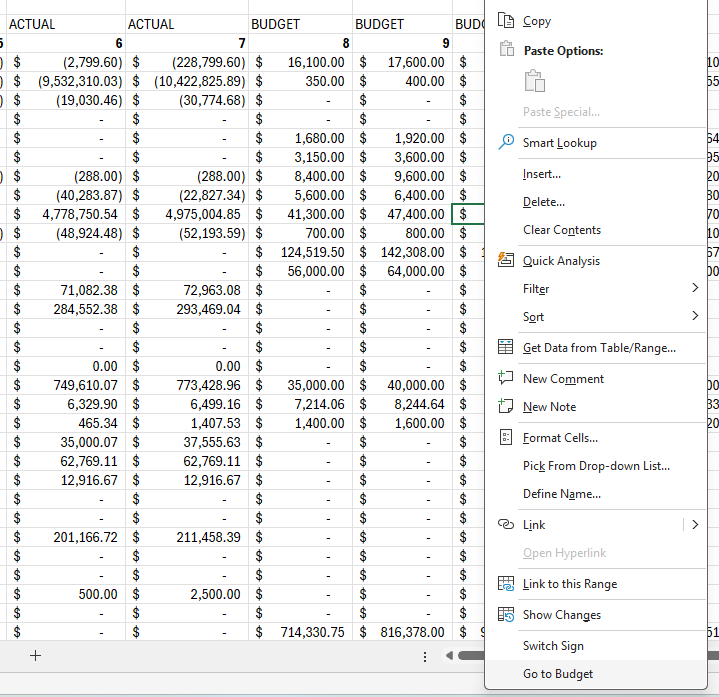
Let's say you have an Income Statement with Actual Amounts for Periods 1 - 7 and Budgeted Amounts for Periods 7 - 12. If you are viewing this information and notice that there is a budgeted amount that needs to be updated, you can easily view the budget in NetSuite.
- Right click on the Budget Account Balance amount that you want to dive into in NetSuite
- Select Go To Budget which will open up the full Budget that's used to determine the specific balance. This will, if you have the right permissions, make it easy to adjust budgets.
After a budget has been updated, easily return to your Excel Workbook and select Refresh Data to return the latest values.